01
Full URL Inventory
We crawl and list every live URL, including PDFs, images and old campaign pages, before anything is built.
CMS Migration
Still running WordPress, Joomla, Drupal, TYPO3, DotNetNuke, PrestaShop, Ghost, PHP-Fusion or another outdated CMS? Move to a faster, modern, SEO-friendly website — without the baggage of legacy technology, and without losing the rankings you already earned.
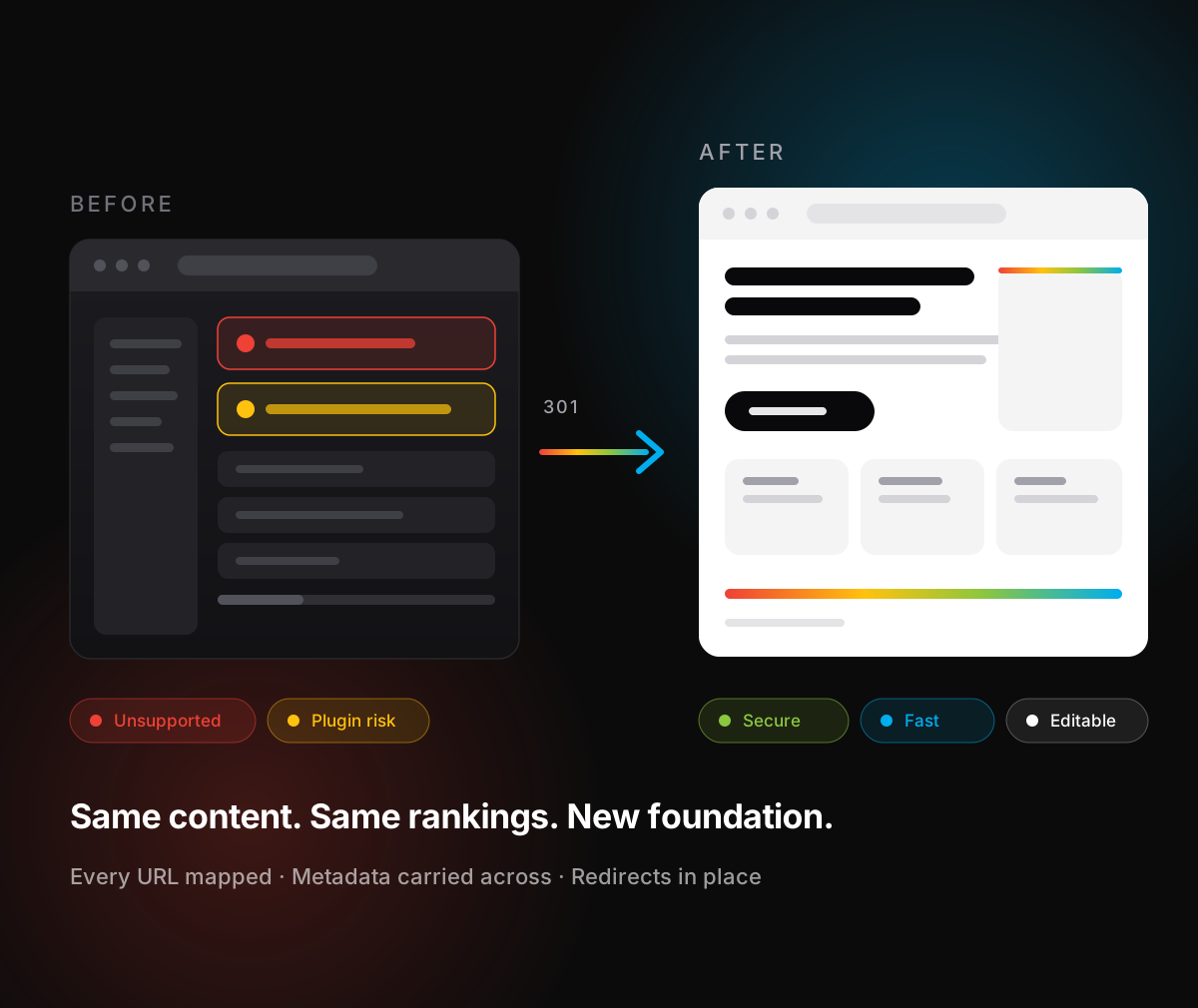
A CMS migration moves your website’s content, design and functionality off an ageing platform — WordPress, Joomla, Drupal, TYPO3, DotNetNuke, PrestaShop, Ghost, PHP-Fusion or a custom legacy build. Done properly it preserves every URL, page, image and form, keeps your search rankings intact, and leaves you with a site that is faster, safer and genuinely editable.
In practice that means two jobs running together: rebuilding the site on technology that will still be supported in five years, and carrying the search equity of the old one across intact — every address mapped, every page accounted for.
Warning signs
Legacy CMS platforms aren’t bad software. They’re software that has drifted out of step with how your business now sells, how Google now ranks, and how attackers now operate.
01
Nobody touches the CMS because the last update broke the homepage, so the site sits on old, unpatched versions.
02
Twenty-plus plugins, half of them unmaintained, each one a dependency you don’t control and a way in for an attacker.
03
Your competitors load in under two seconds and you don’t. Google measures that, and so do the visitors who leave.
04
And they don’t work here any more. Every small content change turns into a support ticket.
05
End-of-life PHP warnings, or you have already had a hack, a defacement or spam pages appearing in search results.
06
A landing page, a booking form or a payment flow becomes a quote and a three-week wait instead of a quick build.
What we migrate
Plugin-heavy and slow on an old theme — rebuilt as a lean modern site, or a clean headless front end with a simple editor
Unsupported core, dead extensions, no real upgrade path — moved to a modern framework build with a purpose-built admin
Expensive upgrades and scarce developers — moved to a stack sized to what your site actually does
No maintainer, unpatched code, raw SQL — rebuilt as a secure, documented application
Costly LTS jumps and scarce TypoScript expertise — moved to a stack any web developer can maintain
Ageing .NET Framework, licensed modules and vendor lock-in — rebuilt on an open stack with no per-module fees
Module conflicts and risky upgrades on a live checkout — migrated with products, customers and orders intact
Node version drift and themes stuck on an old API — moved to a build your team can publish from safely
Can’t be edited, can’t be exported — rebuilt as a component-based site you own outright
A fast front end, a lightweight CMS your team can actually use, hardened hosting with automated backups, and SEO built in rather than bolted on
The big question
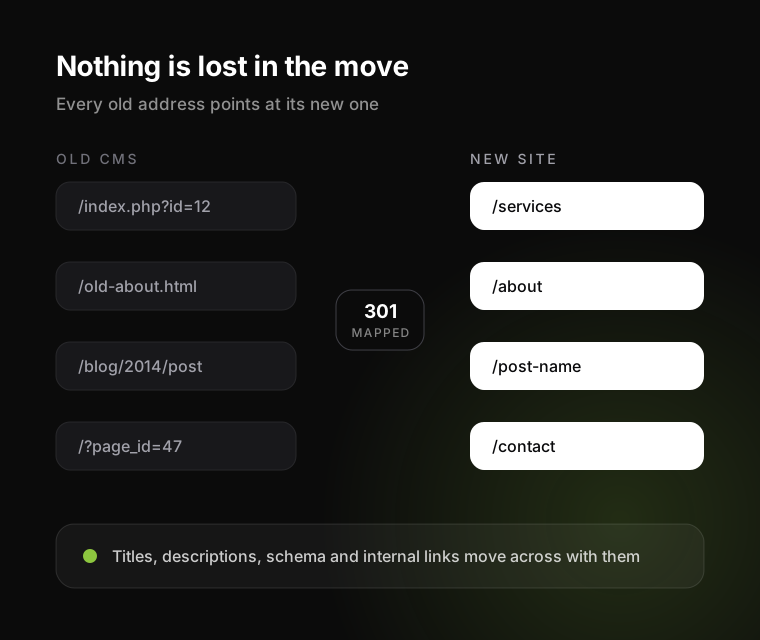
No — not if the migration is planned around search from day one. Every existing URL is mapped to its new destination with 301 redirects, metadata and structured data are carried across, internal links are rebuilt, and rankings are monitored daily for the first month after launch. Short-term fluctuation is normal; permanent loss is a planning failure, not a side effect of migrating.
01
We crawl and list every live URL, including PDFs, images and old campaign pages, before anything is built.
02
Every retired URL points at the closest relevant page. No blanket redirect to the homepage.
03
Titles, descriptions, headings, canonicals, hreflang and schema move over — and get improved where they were weak.
04
Pages with external links earning you authority are identified first, so none of them is quietly dropped.
05
Analytics, Search Console, tag manager and conversion tracking are re-checked before the switch, not after.
06
We record performance before and after the migration and report the difference to you in plain numbers.
How it works
From the first crawl to thirty days after launch, with your new site visible on a staging URL from week one.
We crawl your site and inspect the CMS, plugins, PHP version, hosting and integrations, then send you a short written assessment: what’s at risk, what’s worth keeping, and a realistic range for time and cost.
We agree what moves, what gets rewritten and what is finally retired. Most legacy sites carry pages nobody has read in years; removing them deliberately is part of the value.
Your new site is built on a staging URL you can see from week one. Editors get a walkthrough of the admin while it is still being built, so nothing is a surprise at launch.
Pages, posts, media, products, members and form submissions move through scripted, repeatable imports — not copy-paste. We run the import more than once so the final cutover is boring.
Redirects live, DNS switched at a low-traffic hour, SSL and email verified, sitemaps resubmitted, and the old CMS archived read-only for an agreed period.
Thirty days of close monitoring on rankings, errors, speed and forms, then an ongoing managed hosting and maintenance plan if you want one.
Before and after
| Legacy CMS | After migration | |
|---|---|---|
| Page speed | Theme and plugin overhead on every request | Pre-rendered or optimised delivery, measured against Core Web Vitals |
| Security | You patch whatever the plugin authors patch, when they patch it | Minimal attack surface, dependencies under version control, automated backups |
| Editing | Fragile — one wrong click breaks the layout | Guard-railed blocks, so editors can’t break the design |
| New features | Find a plugin and hope it is still maintained | Built around your process, owned by you |
| SEO | Retro-fitted through plugins | Clean markup, schema and performance by default |
| Cost over time | Rising maintenance and emergency fixes | Predictable, with fewer surprises between releases |
Scroll the table sideways to see both columns.
Budget
Honest answer: it depends on page count and how much custom functionality is hiding in the old site. These are the factors that move the number, in order of impact. We quote a fixed scope and price after the free audit.
Drives the content mapping, the redirect work and the QA effort
Bookings, payments, members, calculators and multi-language — each one is a small project of its own
Reusable as it is, needs restructuring, or needs rewriting
CRM, ERP, email marketing, payment gateways and any legacy APIs still in use
Carry your current brand across, refresh it, or redesign from scratch
A compressed launch date costs more than a flexible one
Why work with us
01
We have migrated and rebuilt sites for healthcare, hospitality, charity, manufacturing and professional services clients — see our recent website projects.
02
The same team handles the build, the SEO, AEO and GEO work, the hosting and the security, so nothing falls between vendors mid-migration.
03
The code, the hosting account and the domain stay yours. If you ever leave, you leave with a working site — not a hostage.
No. The new site is built and tested on a separate staging environment, and the switch happens by changing DNS at a quiet hour. Visitors see the old site until the moment the new one is ready. Typical perceived downtime is zero; the worst case is a few minutes of DNS propagation for some visitors.
A straightforward 20 to 40 page brochure site typically runs four to eight weeks from audit to launch. Sites with e-commerce, memberships, multi-language content or ERP and CRM integrations run longer, because the data and the edge cases set the pace rather than the design. The free audit gives you a specific range.
Yes. We can carry your current look across closely, refresh it while keeping brand recognition, or redesign fully. Keeping the design lowers cost and risk, and is often the right call when the problem is the technology rather than the branding.
Not necessarily. If WordPress genuinely fits how you publish, we will modernise it properly: a lean theme, plugins cut to the minimum and hardened hosting. We recommend moving off it when plugin dependencies, performance or security keep failing the business. The audit tells you which situation you are in.
Every page, image and document is inventoried, then kept, rewritten or retired by decision, never by accident. Retired URLs get 301 redirects to the closest relevant page. Metadata, structured data and internal links move across, and we monitor Search Console daily for the first month after launch.
Email is unaffected by a website migration as long as MX records are preserved, so we document them before touching DNS. Forms, payment gateways, CRM syncs and booking systems are rebuilt and tested on staging, with test submissions verified end to end before launch.
Your team. Editors get a simple, guard-railed admin, a short training session and a written handover, so day-to-day content changes do not need a developer.
Tell us during the audit. We migrate content, not malware: files are scanned, injected spam pages and redirects are identified and dropped, and any blacklisting or manual action in Search Console is dealt with as part of the project.



CMS Migration
Send us your URL and your current CMS. You’ll get a written migration audit covering performance, security, SEO risk and a realistic scope for moving to a modern build. We reply within one business day.
Send us your website address and the CMS it runs on. Our engineering team will come back within one business day with a written assessment.
Our engineering team will be in touch within one business day.