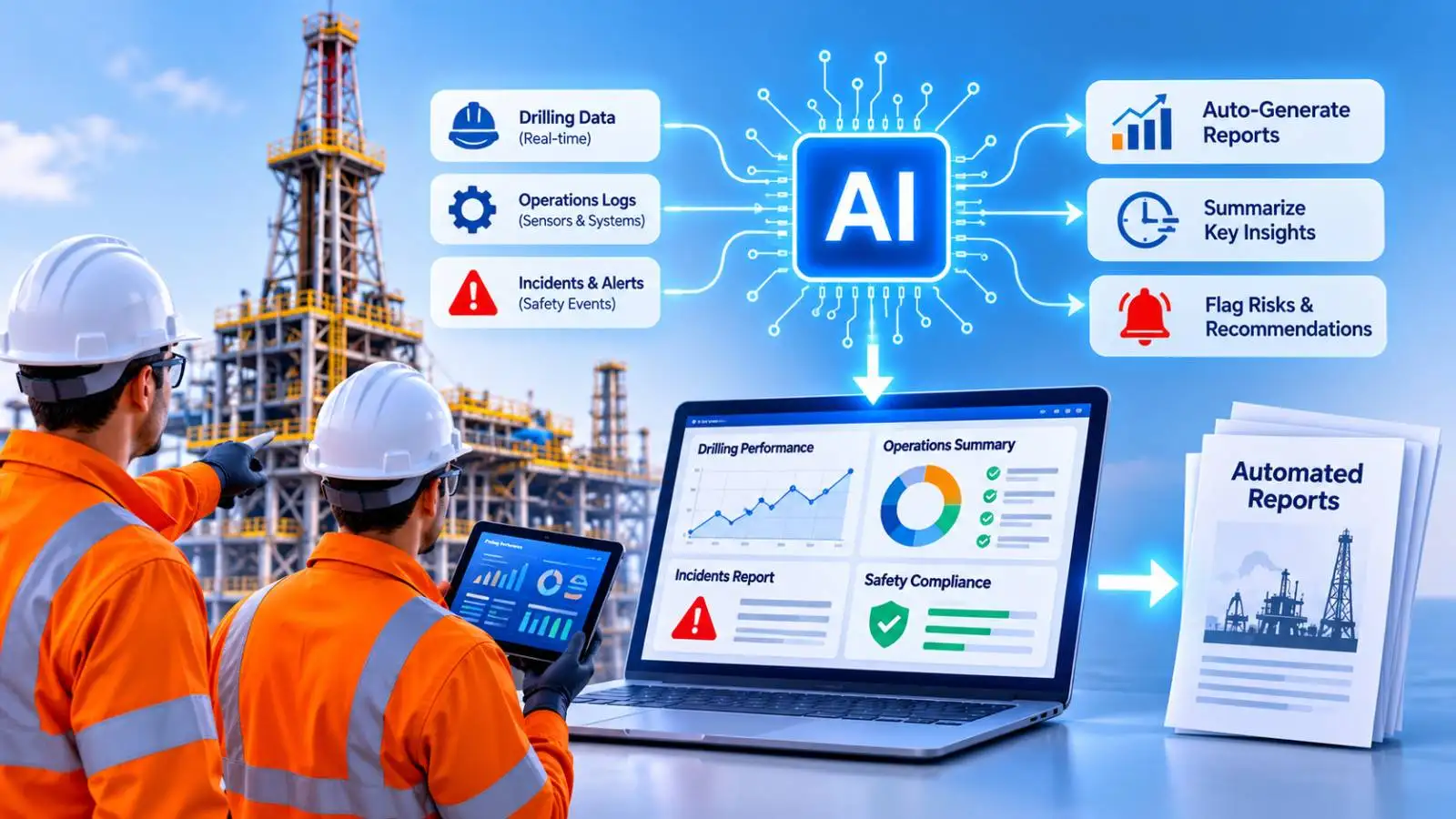
How to Automate Drilling and Operations Reports with AI
Daily drilling reports, operations summaries and shift handovers are written from the same sources every day: rig and sensor data, shift logs, emails, contractor tickets and spreadsheets. AI can collect those inputs, draft the report in your template, flag missing or inconsistent items and send it to the right person to review. The engineer still checks the numbers and signs it off.
This guide explains which reports suit automation, how it works step by step, what should stay with people, and how an oil and gas business can start with one report and measure the result.
Why do drilling and operations reports take so long?
Reports take long because most of the work is compiling, not analyzing: the same facts are collected from several places, retyped into a template and checked by hand. The usual causes are:
- Many sources. Data sits in rig systems, spreadsheets, emails, PDFs and handwritten notes, and each has to be opened and copied from.
- Chasing missing information. Someone has to ask crews and contractors for the numbers that did not arrive.
- Retyping errors. Copying figures between systems introduces small mistakes that are found late, if at all.
- One report, many versions. The same data is reformatted for management, partners and clients.
- Late delivery. When compiling takes hours, the report arrives after the decisions it should have informed.
That is time engineers could spend on the work itself, which is the case for automating the routine part.
Which reports can AI help automate?
AI suits reports that are produced often, follow a fixed template and draw on the same sources each time. Good candidates are:
- Daily drilling reports, built from rig data, activity logs and notes.
- Daily and weekly operations and production summaries.
- Shift handover reports, summarizing what happened and what the next crew must know.
- Contractor and service-company reports and field tickets, which arrive as PDFs, scans or emails.
- Equipment and maintenance logs.
- Management and partner summaries, drafted from the reports above.
How does AI-assisted report automation work?
The automation follows the same path a person would, but does the repetitive steps itself and stops for a person where judgment is needed:
- Collect the inputs. Pull data from your systems, files and inboxes through integrations, on a schedule or when a shift closes.
- Extract and structure. Intelligent document processing reads PDFs, scans and emails and turns dates, equipment, quantities and activities into structured fields.
- Check. Compare the data with previous days, the plan and your rules, and flag missing fields, unit mismatches and unusual values.
- Draft. Fill your template and write the summary text from the structured data.
- Review and approve. The engineer sees the draft with the flagged items highlighted, edits it and approves it.
- Distribute and file. Send the approved report to the right recipients and store it in your system of record with an audit trail.
Manual reporting vs automated reporting: what changes?
The report and the approval stay the same. The compiling moves to software.
| Manual reporting | Automated reporting | |
|---|---|---|
| Gathering data | Copied from several systems by hand | Pulled automatically through integrations |
| Reading documents | Retyped from PDFs, scans and emails | Extracted into structured fields and checked |
| Spotting errors | Found later, if at all | Flagged against rules and earlier reports |
| Writing the summary | Written from scratch each time | Drafted for the engineer to edit |
| Sending and filing | Emailed and saved by hand | Sent to the right people and filed with an audit trail |
What should stay with people?
People should keep every judgment and every sign-off. AI is the assistant that prepares the report, not the author who answers for it. We recommend:
- An engineer reviews and approves every report before it is sent.
- Figures come from the source systems. The AI never invents or adjusts a number.
- Anything that affects safety, well control or contractual quantities is checked by a person against the source.
- Drafts are marked as drafts, and every change is logged.
- Missing data is flagged and chased, not guessed.
AI models can write text that reads well but is wrong, so the validation rules and the approval step matter as much as the drafting.
What do you need before you start?
Four things make a first project go smoothly:
- A stable template. If the report format changes every week, fix that first.
- Access to the data sources, and someone who knows where each figure comes from.
- A sample of past reports, including awkward ones, to test against.
- A data policy. Decide where report data may be processed and who can see it, and check client and partner terms before a pilot.
How do you start automating a report?
Start with one report, prove it works, then expand:
- Pick one high-volume report, such as the daily operations report.
- Measure today’s baseline: time spent per report, how often it is late and how many corrections it needs.
- Connect the two or three main sources rather than every system at once.
- Set the checks and the approval step, including who signs off and what gets flagged.
- Run a pilot alongside the manual process for a few weeks and compare the two reports.
- Review the numbers and move to the next report once they hold up.
How Techrish helps with reporting automation
Techrish builds AI automation and custom software for oil and gas businesses across Kuwait and the Gulf, including AI workflow automation, intelligent document processing and system integration that connects the tools you already use. See our page on AI automation for oil and gas in Kuwait for what we build, and our guide to how AI helps with HSE and incident reporting for the safety side of reporting.



 WhatsApp