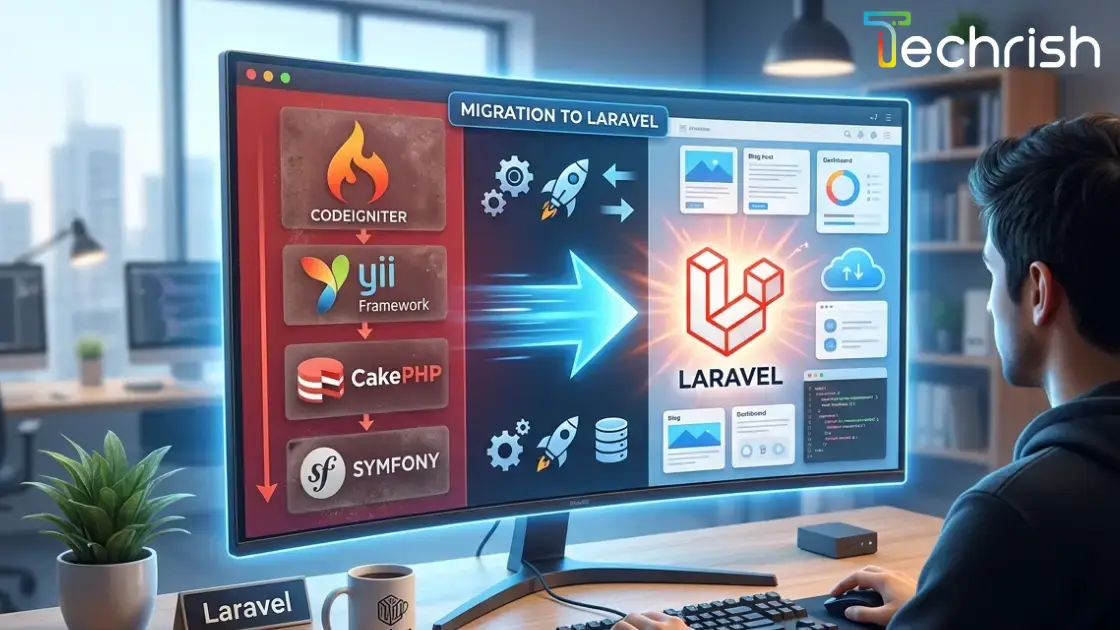
Why Migrate from Legacy PHP Frameworks to Laravel?
Many businesses still run their most important software on a PHP framework that was a sensible choice ten years ago. It works, so nobody wants to touch it. But the longer an ageing application stays as it is, the more it costs: slower releases, harder hiring, growing security exposure and features that are always “too risky” to add. For a lot of teams, the answer is a planned PHP framework migration to Laravel.
This guide explains why companies move from CodeIgniter, Yii, CakePHP and older Symfony projects to Laravel, what the migration process looks like, which challenges to expect and how to do it without disrupting your customers.
Why Legacy PHP Frameworks Become a Business Problem
A framework does not become a problem on the day it is released. It becomes a problem when the world moves on around it. Older versions of CodeIgniter, Yii and CakePHP, for example, were designed before modern PHP, Composer-based packages, API-first products and cloud deployment became the norm. Several of those older major versions no longer receive full community support or regular security updates.
For the business, that shows up in familiar ways:
- Security risk. Unsupported framework versions and outdated PHP runtimes stop receiving patches, which leaves known weaknesses open on a system that often holds customer and payment data.
- Slow delivery. When the code has no structure, no tests and a lot of copy-pasted logic, even a small change takes days of careful checking.
- Hiring and knowledge loss. Fewer developers want to work on legacy frameworks, and the people who understand the old code eventually leave.
- Integration limits. Connecting to payment gateways, CRMs, ERPs, WhatsApp, e-invoicing or AI services is far harder when the application was never built to expose or consume APIs.
- Rising maintenance cost. More of the budget goes into keeping the system alive and less into growing the business.
Why Laravel Is the Framework Businesses Migrate To
Laravel is the most widely used PHP framework for new web applications, and its popularity is earned. It gives development teams a clear structure and a rich set of tools out of the box, so they spend time on your business logic instead of rebuilding common plumbing.
- A modern, actively maintained ecosystem. Laravel has a predictable release cycle, long-term documentation and a very large community. Packages, tutorials and experienced developers are easy to find, which lowers both risk and cost over the life of the project.
- Built-in security. Protection against SQL injection, cross-site scripting and cross-site request forgery, plus hashed passwords, encryption, rate limiting and a mature authentication system, are part of the framework rather than something each developer has to remember to add.
- Faster development. Eloquent ORM, Blade templates, queues, scheduling, events, caching, file storage, notifications and testing tools are all included. Features that took weeks on a legacy stack often take days.
- Clean architecture that scales. Laravel encourages an MVC structure, dependency injection and separation of concerns. Code stays readable as the team and the product grow, which keeps future changes cheaper.
- Ready for APIs, mobile apps and integrations. Building REST APIs for a mobile app, a customer portal or a third-party integration is a first-class use case, not an afterthought.
- Better performance and cloud readiness. Queues, caching, Redis support, queue monitoring and container-friendly deployment make it easier to run Laravel reliably on modern cloud infrastructure.
Migrating from CodeIgniter, Yii, CakePHP and Symfony: What Differs
CodeIgniter
Lightweight and easy to start with, which is why so many business applications were built on it. Older CodeIgniter 3 projects often mix logic into controllers and views, so migration usually involves moving that logic into models, services and Laravel’s request validation.
Yii
Yii 1.x applications are the most common candidates. They typically rely on ActiveRecord, widgets and a custom module system, all of which map reasonably well to Eloquent, Blade components and Laravel packages.
CakePHP
Older CakePHP 2.x projects follow strong naming conventions, which actually helps. Models, controllers and views translate cleanly, while the ORM, helpers and behaviours are replaced with their Laravel equivalents.
Symfony
Symfony itself is a solid, modern framework, and Laravel is built on several Symfony components. Teams usually move from Symfony when they want faster delivery and a bigger talent pool, or when an old Symfony 1.x or 2.x project has fallen too far behind to upgrade in place.
The PHP Framework Migration Process, Step by Step
- Audit the existing application. We review the codebase, database, PHP version, dependencies, integrations and hosting. The result is a clear picture of what exists, what is risky and what can be reused.
- Define scope and strategy. Together we decide what to migrate, what to retire and what to improve. For most projects, a phased migration is safer than a big-bang cutover, because you keep a working system at every stage.
- Set up the Laravel foundation. A fresh Laravel project with environment configuration, version control, code standards, automated testing and a CI/CD pipeline, so every change from day one is reviewed and tested.
- Migrate the database and data. The existing schema is mapped to Laravel migrations and models. Data is moved or connected, then checked record by record against the old system.
- Rebuild features module by module. Authentication, roles and permissions, core workflows, reports, emails, payments and third-party integrations are moved in priority order, with the business logic carefully preserved.
- Test thoroughly. Automated tests, side-by-side comparison with the legacy system, performance checks and user acceptance testing with your own team catch problems before customers do.
- Launch, redirect and monitor. The cutover is planned for a low-traffic window, old URLs are redirected to protect SEO, and the application is monitored closely after go-live.
- Optimise and support. After launch, the real gains begin: faster releases, new features, API access and ongoing maintenance on a stack your team can actually evolve.
Common Migration Challenges, and How to Handle Them
- Undocumented business logic. Legacy systems often hold years of rules that nobody wrote down. We recover them by reading the code, talking to the people who use the system and writing tests that lock the behaviour in before anything is changed.
- Tight coupling and messy code. Logic buried in views and controllers cannot be copied across. It is refactored into clean services as part of the move, which is where much of the long-term value comes from.
- Third-party libraries and plugins. Abandoned or custom libraries need modern replacements. In most cases a maintained Composer package or a small custom service does the job better.
- Downtime and data risk. Running the old and new systems in parallel, rehearsing the cutover and keeping a tested rollback plan removes most of this risk.
- SEO and URL changes. Moving frameworks can change URLs, which can cost rankings. Mapping and redirecting every important address keeps your search traffic intact.
- Scope creep. It is tempting to redesign everything at once. Keeping the first release focused on parity, then improving in later phases, keeps the budget and timeline under control.
Best Practices for a Smooth Laravel Migration
Start with an audit instead of a guess. Migrate in phases and keep the legacy system live until each module is proven. Write automated tests around critical flows before and after the move. Keep a staging environment that mirrors production. Upgrade the PHP version as part of the project. Involve the people who use the system every day. And plan hosting, backups and monitoring alongside the code, so the new platform is as dependable as it is modern.
How Much Does It Cost, and How Long Does It Take?
There is no honest one-size-fits-all number, because cost follows complexity: the number of modules, the quality of the existing code, the integrations, the amount of data and whether the project is a straight migration or a migration with new features. Smaller systems can move in a matter of weeks, and larger platforms are delivered in phases over several months. A short technical assessment turns the guesswork into a fixed scope, a timeline and a budget you can plan around. Request a free assessment and quote and we will send you one.
When Should You Migrate?
If your application runs on an unsupported framework or PHP version, if releases have become slow and fragile, if you cannot find developers, if integrations keep being turned down as too difficult, or if a security audit has flagged the stack, then the cost of waiting is already higher than the cost of migrating. The best time to start is before an incident forces your hand.
Conclusion
Moving from a legacy PHP framework to Laravel is not just a technical upgrade. It is a decision to make your software faster to change, safer to run and easier to connect to everything your business depends on. With a clear audit, a phased plan and the right engineering team, it can be done without disrupting customers, and it pays back in every release that follows.
Techrish builds and modernises PHP and Laravel applications for businesses in the Gulf, Europe, India and beyond. If you are weighing a migration, talk to our team about your application or explore our custom software development services. We will tell you plainly whether migrating, upgrading in place or rebuilding is the right call.



 WhatsApp